EVERFLOW / PowerLogic
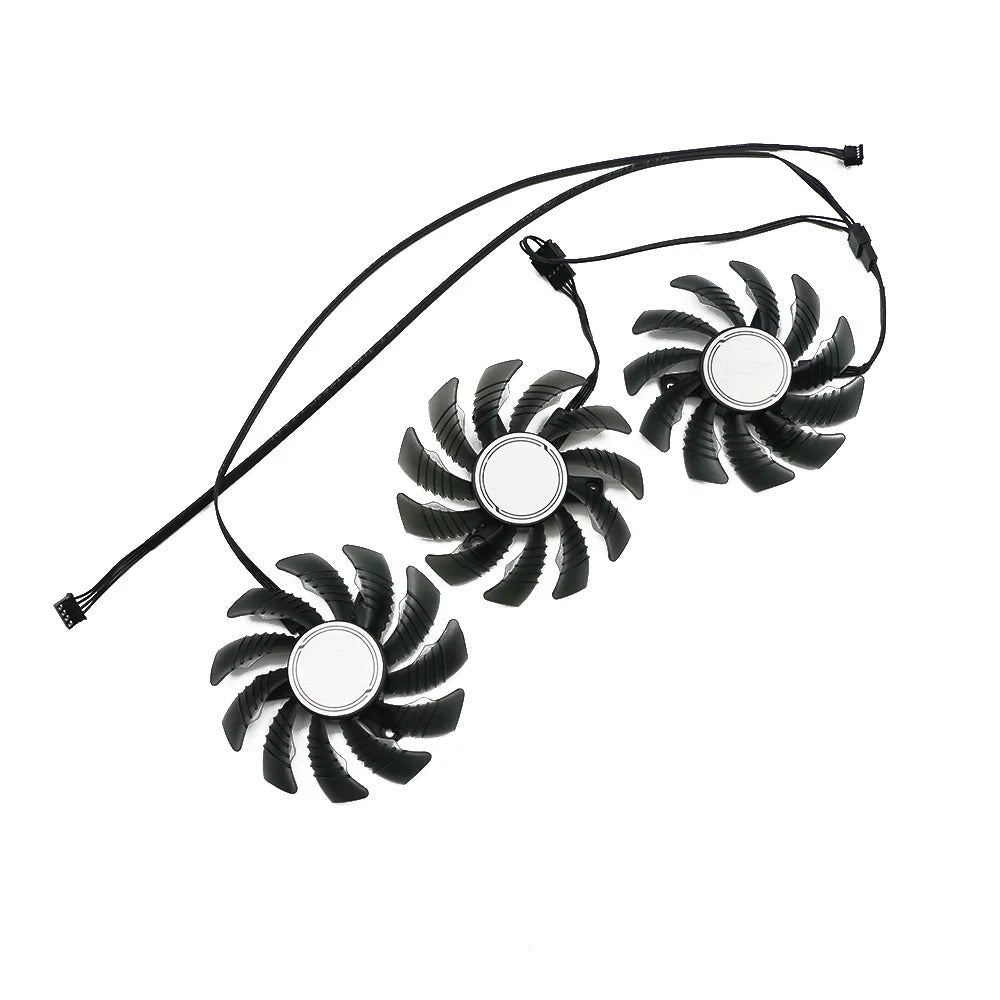
Gigabyte RTX 3070 RX 6800 / 6800XT / 6900XT Gaming GPU Fan Set
RTX 3070 Series, RX 6800 Series, and RX 6900 Series
For: Gigabyte
Power Connector: 4 Pin
Dimensions: 82 mm
Depth: 15mm (10mm blade)
Mounting Distance: 42 x 42 x 42 mm
Part Number(s): T128015SU / PLA092215S12H
Rating: 12V @ 0.55A
SKU:GB-68KGAM-F
Couldn't load pickup availability
This is a replacement GPU fan set for poor performing, damaged or faulty Gigabyte RTX 3070 & RX 6800 / 6800XT / 6900XT GAMING graphics card coolers.
Please check dimension and model compatibility carefully before purchase.
Includes wiring loom.
Important note: There are very similar fans which have different dimensions, please check the cooler you require is 82mm diameter. Also note the mounting hold distance of 42mm on this cooler opposed to 40mm.
Share

Collapsible content
Compatibility Guide
The following products are compatible with this fan set however please use this only as a guide and still check the part number, specifications and visual images carefully before purchasing:
Gigabyte GeForce RTX 3070 GAMING OC 8G
Gigabyte Radeon RX 6800 GAMING OC 16G
Gigabyte Radeon RX 6800 XT GAMING OC 16G
Gigabyte Radeon RX 6900 XT GAMING OC 16G
Shipping Information
Where the Express Shipping Icon is shown on a listing, this item will be shipped from the UK warehouse directly. Next day shipping is available, however this must be selected and paid for at checkout.
- UK - 1-4 working days (Depending on method selected)
- Europe - 3-7 working days (typical)
- USA - 6-7 working days (typical)
- Australia - 6-7 working days (typical)
- Other - 6-12 working days (typical)
Where an item is Standard Shipping (defined with a blue WORLD logo), this item is not held in stock and will be direct shipped from our suppliers, and alternative shipping times apply.
For full information on shipping times please click here
Installation
Installation for fans will required the existing shroud to be removed. This would usually be the removal of 4-8 small phillips screws (cross head) and will require a hobbiest screwdriver. After the shroud is removed you will likely need to remove the fan(s) from the headsink, usually with screws between the fins or to the outer edge of the fan retaining brackets.
Please ensure you keep note of the screw replacement locations as you do along.
The previous fans will need disconnecting from both the graphics board and if changing an individual fan from the daisy chain connection(s).
At this point the new fan(s) should be swapped in the respective locations, and the process complete in reverse.
Ensure you check the fans are the same size and dimensions when replacing, and the connections are correct.
Note: Incorrect installation could damage your fan or GPU, please ensure you have the right part and experience before attempting the replacement.
Returns
If you are unsure if the product is compatible or right for you or compatible please ask us! In the unlikely event you need to return we offer hassle free returns. See our returns policy for more information.